Contents
Understand-Anything is a Claude Code plugin — installable across a wide range of coding agents — that runs a multi-agent pipeline over a codebase, builds a knowledge graph of every file, function, class, and dependency, and renders the result in an interactive dashboard. The thesis worth testing: it spends LLM tokens only where semantics live, extracting structural facts and pre-resolving imports deterministically with Tree-sitter and committing the graph as a durable artifact anyone can view without an API key. As of 2026-11-05, the repository stood at 90,858 stars per the GitHub API. This deep-dive is a source-only reading built on the project’s own documentation and repository metadata, and we did not run the tool.
How This Review Was Researched
This review draws exclusively on the repository page, the README, the releases page, the homepage, the plugin source tree, and a GitHub API snapshot (repository metadata) fetched 2026-11-05 recording 90,858 stars, 7,755 forks, 350 open issues, repository creation on 2026-03-15, and a last push on 2026-10-26. We did not run it hands-on: no pipeline was executed, no graph was generated, and no dashboard was opened. Consequently, graph accuracy, precision, and recall; any benchmarks; real token counts or dollar costs; and the full supported-language list are not established by any source consulted, and this post claims none of them. Last reviewed: November 2026.
What Does the Tree-sitter + LLM Split Actually Buy?
Deterministic Tree-sitter parsing extracts the structural skeleton — imports, exports, function and class definitions, call sites, inheritance — pre-resolved into an importMap during scanning, while the LLM layer adds only what structure cannot: summaries, tags, layer assignments, business-domain mapping, guided tours, and 12 language-concept callouts, as described in the README. Structural edges stay reproducible; semantic intent gets captured where it lives.
The scan phase runs Tree-sitter over the repository to resolve the import map before any model is invoked, and file analyzers receive that pre-resolved structure alongside the original source, per the README. The same deterministic pass also powers fingerprint-based change detection for incremental updates, per the README. Everything the LLM contributes sits above that skeleton: plain-English summaries, tags, architectural layer assignment, business-domain mapping, guided tours, and language-concept callouts surfaced in context. The homepage frames the difference generically: “Other tools show you a hairball. We teach you the codebase.” (homepage). The practical consequence is that the structural layer comes from a deterministic parser, while the semantic annotations on top come from an LLM and are the part a reader should check.
How Does the Five-Agent Pipeline Divide the Work?
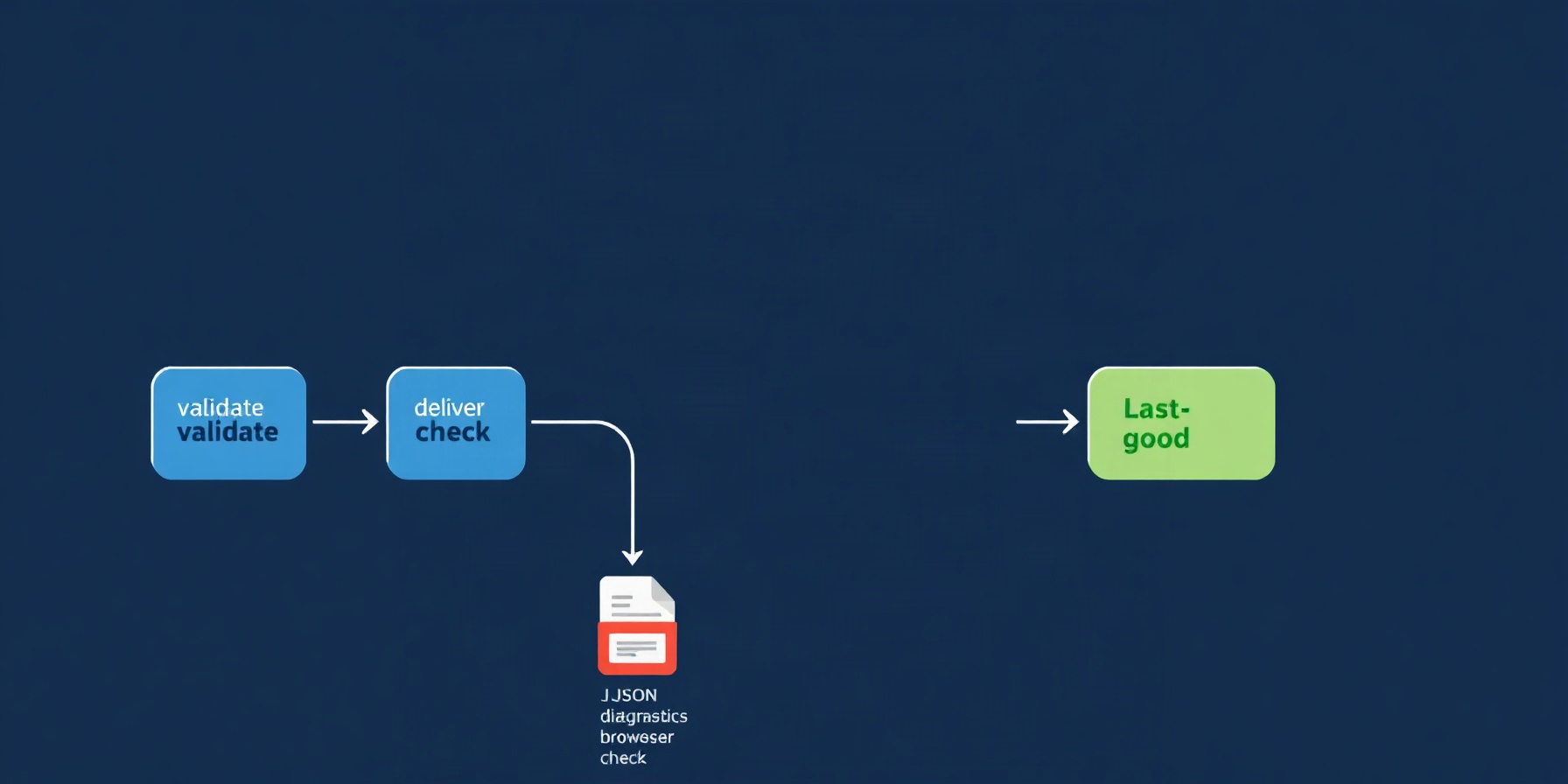
The /understand command fans work across five agents — project-scanner for discovery and language detection, file-analyzer for nodes and edges, architecture-analyzer for layers, tour-builder for guided tours, and graph-reviewer for completeness and referential-integrity checks, running inline by default with --review for full LLM review — with up to five concurrent workers processing 20–30 files per batch, per the README.
Two sibling commands extend the core pipeline rather than replacing it. /understand-domain adds a domain-analyzer agent that extracts business domains, flows, and process steps; /understand-knowledge adds an article-analyzer aimed at Karpathy-pattern LLM wikis — the pattern documented in Karpathy’s gist — using a two-stage design in which a deterministic parser first extracts wikilinks and categories from index.md, and LLM passes then discover implicit relationships, entities, and claims. The v2.9.0 release notes record parser hardening for title-case Index.md/Log.md and article-root-prefixed [[wiki/...]] links.
What Lands on Disk — and What Do You Commit?
Analysis artifacts land in a .ua/ directory with the graph persisted as .ua/knowledge-graph.json; the README’s commit guidance is to version everything in .ua/ except intermediate/ and diff-overlay.json, which are local scratch, and to track graphs of 10 MB or more with git-lfs.
The schema underneath holds nodes for files, functions, classes, and dependencies, with edges carrying the relationships the Tree-sitter pass resolved. The dashboard auto-groups nodes into API, Service, Data, UI, and Utility architectural layers with a color-coded legend, and the README lists layer visualization, dependency-ordered guided tours, fuzzy and semantic search, diff impact analysis, and a persona-adaptive UI among the graph’s consumer features. The v2.9.0 release notes extended the same file with a design subgraph: six node types, three edge types, a kind:"design" discriminator, and a uses_token edge, described there as backward compatible. Legacy handling needs no migration: pre-existing .understand-anything/ directories keep working unchanged, per the README’s note on the same storage layout.
What Do Re-Runs Cost After the First Pass?
Re-runs are incremental by default: only files changed since the previous run are re-analyzed, which the README says means later passes “use far fewer tokens,” while the initial whole-codebase run “can consume a significant number of tokens on large projects.” The v1.3.0 release notes claim a ~85% token-cost reduction from pre-resolving imports into an importMap, slimming the architecture and tour payloads, gating the LLM reviewer behind --review, and raising batch size from 5-10 to 20-30 with concurrency from 3 to 5. We did not measure that figure, and no source gives absolute token counts or dollar costs.
Several documented mechanisms reduce repeat cost. Fingerprint-based change detection from the Tree-sitter pass means only files whose content actually changed are re-analyzed, and /understand --auto-update installs a post-commit hook that patches the graph incrementally after every commit. For huge monorepos, /understand src/frontend scopes analysis to a subdirectory. For the first pass itself, the README’s advice is operational rather than technical: use a token plan or subscription, or point the platform at a local provider such as Ollama — whose integration options are documented by Ollama itself — for privacy or enterprise setups. Any budget planning should treat the initial pass as an unknown to be measured on your own repository.
What Can a Committed Graph Do With Zero API Keys?
A committed graph needs no LLM or API key to explore: the viewer ships as an npx-able .tgz from the releases page, requires only Node.js 18 or newer, prints a tokenized http://127.0.0.1:5173/?token=… URL, and serves everything read-only from local disk so no data leaves the machine, exactly as the README documents.
Inside a host, /understand-dashboard opens the interactive view: the graph is visualized and color-coded by layer, searchable, and clickable, with node selection revealing the underlying code, its relationships, and a plain-English explanation. The dashboard’s business mode maps code to real business processes — domains, flows, and steps laid out as a horizontal graph — which is the project’s stated differentiator on its homepage: “Most code graphs show you structure… We show you meaning.” Homepage claims also include hierarchical drill-down, filtering by type, complexity, and layer, support for 26+ file types (Dockerfiles, Terraform, SQL, and Markdown are the named examples — a file-type count, not a language count), PNG/SVG/filtered-JSON export, a dependency path finder for shortest paths between components, and community clustering. The project also publishes a demo page. From a clone, the same view runs with pnpm install && pnpm --filter @understand-anything/core build followed by GRAPH_DIR=… pnpm dev:dashboard, and the README points at a committed example graph built from Google’s microservices-demo repository as a reference artifact.
How Broad Is Host Support — and Where Are the Rough Edges?
Claude Code gets a native marketplace install, and a one-line install.sh/install.ps1 script clones the repo to ~/.understand-anything/repo and symlinks commands for Codex, OpenCode, OpenClaw, Antigravity, Gemini CLI, Pi Agent, Vibe CLI, VS Code Copilot, Hermes, Cline, KIMI CLI, Trae, Nanobot, and Kiro, with Cursor and Copilot auto-discovery — details in the README.
On Claude Code the flow is the native marketplace path — /plugin marketplace add Egonex-AI/Understand-Anything followed by /plugin install understand-anything — documented in Claude Code’s plugins reference. The repo tree shows what that expects — .claude-plugin, .copilot-plugin, and .cursor-plugin directories at the root — while the plugin directory itself bundles agents/, hooks/, packages/, skills/, and src/. Cursor auto-discovers via .cursor-plugin/plugin.json when the repo is cloned, with a Cursor Settings → Plugins fallback using the repo URL; VS Code Copilot v1.108+ auto-discovers via .copilot-plugin/plugin.json; Copilot CLI installs with a single plugin-install command; Kiro gets skills symlinked into ~/.kiro/skills/ and an agent definition at ~/.kiro/agents/understand.json. The rough edges are the seams between hosts. Invocation is not uniform — Codex uses $understand rather than /understand — and every additional host surface is another packaging path to test, another symlink layout, another auto-discovery contract to keep satisfying as hosts evolve.
How Mature Is It, and How Fast Is It Moving?
The release ladder runs from v1.2.0, labeled “First Release,” through v2.9.0, the latest release, with intermediate milestones including a v2.5.0 dashboard layout overhaul built on ELK with lazy containers and v2.7.3’s --language localization covering en, zh, zh-TW, ja, ko, ru, and vi — all visible on the releases page.
The project’s own metadata reads like an actively maintained toolchain: TypeScript as the primary language (per the GitHub API), a pnpm workspace, ESLint, Vitest, an MIT license held by Yuxiang Lin and Infinite Universe, Inc., 866 commits, and a README in English plus eight translations. The latest release notes, v2.9.0, centre on Figma graphs, the .ua/ data directory, new languages and hosts, and merge reliability; the earlier v2.5.0 layout overhaul moved the dashboard to ELK plus lazy-loaded containers. v2.9.0 bundles /understand-figma, which parses the Figma REST API deterministically and hands the result to a design-analyzer agent for LLM enrichment while keeping FIGMA_TOKEN strictly in the request header, adds Dart, Scala, Swift, and Kotlin analysis plus C++ test/benchmark ignore patterns, onboards Kiro, Nanobot, and Trae as hosts, fixes the merge pipeline with a merge-report.json, retry logic, and zero-node batch flagging, and hardens security against skill-injection ReDoS and recursive subagent dispatch, with CI running on Node 24. Localization affects node summaries, dashboard labels, and tour explanations, with first-run conversation-language detection writing the choice to .ua/config.json. One sourcing caveat: the releases page renders timestamps as day/month without years, so this post deliberately avoids dating any release. Community material includes a Better Stack walkthrough video and the microservices-demo graph referenced above.
The project’s own materials name no competing product — only a generic “typical code graph” contrast — so the useful comparison is internal: the repository’s own modes, and what each costs in agents and output.
| Mode | Agents | Output | Notes |
|---|---|---|---|
/understand | project-scanner, file-analyzer, architecture-analyzer, tour-builder, graph-reviewer | Full graph at .ua/knowledge-graph.json | Incremental by default; --auto-update post-commit hook; --review escalates reviewer to full LLM pass |
/understand-domain | + domain-analyzer | Business domains, flows, process steps | Rendered as a horizontal business-process graph in the dashboard |
/understand-knowledge | + article-analyzer | Wiki knowledge graph with community clustering | Two-stage: deterministic wikilink/category parse of index.md, then LLM passes |
/understand-figma | + design-analyzer (v2.9.0) | Design subgraph: 6 node types, 3 edge types, kind:"design" | FIGMA_TOKEN kept strictly in the request header; incremental UP_TO_DATE re-runs |
/understand-dashboard | None — view only | Interactive dashboard over the committed graph | Layer color-coding; type/complexity/layer filters; dependency path finder; PNG/SVG/filtered-JSON export |
Viewer via npx .tgz | None | Read-only local web view | No LLM or API key; Node ≥ 18; tokenized 127.0.0.1 URL |
The Bottom Line
Adopt it if your team already lives in one of the supported hosts and spends its weeks onboarding onto large, unfamiliar repositories, where a committed graph — viewable by anyone, LLM-free — plus business-domain mapping would compound. Watch three things: the unquantified initial token spend, which you must measure on your own codebase; the unverified accuracy of the extracted graph; and packaging churn across the README’s long host list.
FAQ
Is the first run expensive?
Only qualitatively, and that is the limit of sourced claims. The README says the initial /understand “can consume a significant number of tokens on large projects” and recommends a token plan, subscription, or local model. The v1.3.0 release notes claim roughly an 85% token-cost reduction, which this review did not measure; no source gives absolute token counts or dollar costs, so budget a pilot run on your repository.
Can teammates without an LLM subscription use the graph?
Yes. Commit everything in .ua/ except intermediate/ and diff-overlay.json (local scratch), tracking graphs of 10 MB or more with git-lfs. Teammates then need only Node.js 18 or newer for the viewer from the releases page: it prints a tokenized localhost URL and serves the committed graph read-only from local disk — no LLM, no API key, no data leaving the machine.
Which languages are supported?
No full supported-language list is published, and this post will not invent one. The homepage’s “26+” figure counts file types — Dockerfiles, Terraform, SQL, and Markdown are named — not programming languages. The v2.9.0 release notes add Dart, Scala, Swift, and Kotlin analysis alongside C++ test/benchmark ignore patterns. Treat coverage as per-release and verify against your stack before committing.
📖 Related Reads
- ToolBrain — tool reviews, LLM comparisons, and AI workflow guides
- NiteAgent — AI agent development, frameworks, and production patterns
Cross-links automatically generated from CodeIntel Log.