Contents
At 102,163 GitHub stars roughly seven months after its March 17 creation, Orca has unusual attention for a tool whose central orchestration primitive is a git worktree. (GitHub API) The engineering question is more revealing than the count: is this an IDE, or a harness with an IDE attached? Orca’s best answer is the latter—an agent development environment that makes parallel CLI-agent work reviewable through isolated worktrees, comparison, and merging. Its weakness is equally architectural: isolation stops at the checkout boundary, while Computer Use and multi-vendor credentials push trust to the host OS. For solo power users this is compelling; for teams requiring containment, it is not yet an enterprise trust boundary.
How This Review Was Researched
The evidence base was fetched on 2026-10-22: GitHub API metadata; the v1.4.237 release notes published 2026-10-21; the README; official telemetry and Computer Use documentation (the CLI and worktree pages returned HTTP 200 but their bodies were not extracted, so no claim depends on them); Git’s worktree documentation; and Conductor’s homepage. (GitHub API latest release README telemetry Computer Use CLI worktrees Git Conductor Conductor API) It documents claims, not observed runtime behavior.
This review is based on the repository source, documentation, and release notes — we did not run it hands-on.
Last reviewed: October 2026
Not examined: no live traffic capture, no binary inspection, no hands-on run, no clustering of open-issue content, and no PTY/relay protocol fetch. Open-issue clustering and the PTY/relay protocol and encryption model are therefore not verified in this review.
What is Orca — an IDE, or a harness with an IDE attached?
Orca is best understood as an agent development environment (ADE): a TypeScript app that makes CLI agents execution targets while terminal splits, WebGL scrollback, diff annotation, and GitHub/Linear integration support orchestration. Its README names agents including Claude Code, Codex, Grok, Cursor, Copilot, OpenCode, Pi, Hermes Agent, Devin, and Rovo Dev, plus “any CLI agent”; orca.dev markets 27 supported agents (vendor claim). (README GitHub API)
The README’s centerpiece is explicit: fan one prompt across five agents, each in an isolated worktree, then compare and merge. Design Mode embeds Chromium so selecting an element can send HTML/CSS and a cropped screenshot to an agent; terminal splits preserve WebGL scrollback across restarts.
These are orchestration affordances around external CLIs, not evidence that Orca owns the model runtime. Whether every listed agent receives first-class status is unverified; “any CLI agent” is not an adapter-contract guarantee. (README)
Why parallel worktrees — and what does git itself warn about?
The core primitive is one isolated git worktree per agent, enabling the README workflow to fan one prompt across five agents, compare results, and merge a winner. The pattern is architecturally appealing, but it inherits a sharp upstream limitation: Git says multiple checkouts remain experimental, submodule support is incomplete, and multiple superproject checkouts are not recommended. (README git-worktree documentation)
Git’s BUGS section says: “Multiple checkout in general is still experimental, and the support for submodules is incomplete. It is NOT recommended to make multiple checkouts of a superproject.” Orca’s worktree model does not supersede that upstream constraint. (git-worktree documentation)
Operationally, a worktree separates checkout and branch state; it does not create separate OS identities, credential helpers, processes, or network policies. It limits accidental cross-agent edits, but not destructive commands, secret access, shared-cache modification, or network egress. Merge selection turns Git into an explicit human gate, although it cannot validate side effects outside the reviewed diff.
How does the agent surface work — chat, terminal, or both?
Release v1.4.237 exposes orca agent launch --surface chat|terminal; native chat is explicitly labeled experimental, while the same release records Codex and Claude chat-rewind fixes. The switch suggests a normalized launch layer over heterogeneous CLIs, but it does not establish a stable protocol: Orca’s PTY/relay protocol and encryption model were not verified in this review. (latest release)
For harness engineers, --surface is evidence of a launch-surface abstraction, not proof of uniform agent semantics. The release does not establish whether terminal and chat expose equivalent cancellation, streaming, rewind, file-attachment, or exit behavior. (CLI overview)
The protocol-level questions remain open: multiplexing, framing, authentication, encryption, backpressure, and reconnect behavior were not fetched. Surface-specific rewind fixes also show why chat and terminal should be treated as separate automation contracts rather than interchangeable interfaces. A stable selector is useful; a stable compatibility boundary is not yet demonstrated.
Where is the trust boundary when five vendors share one machine?
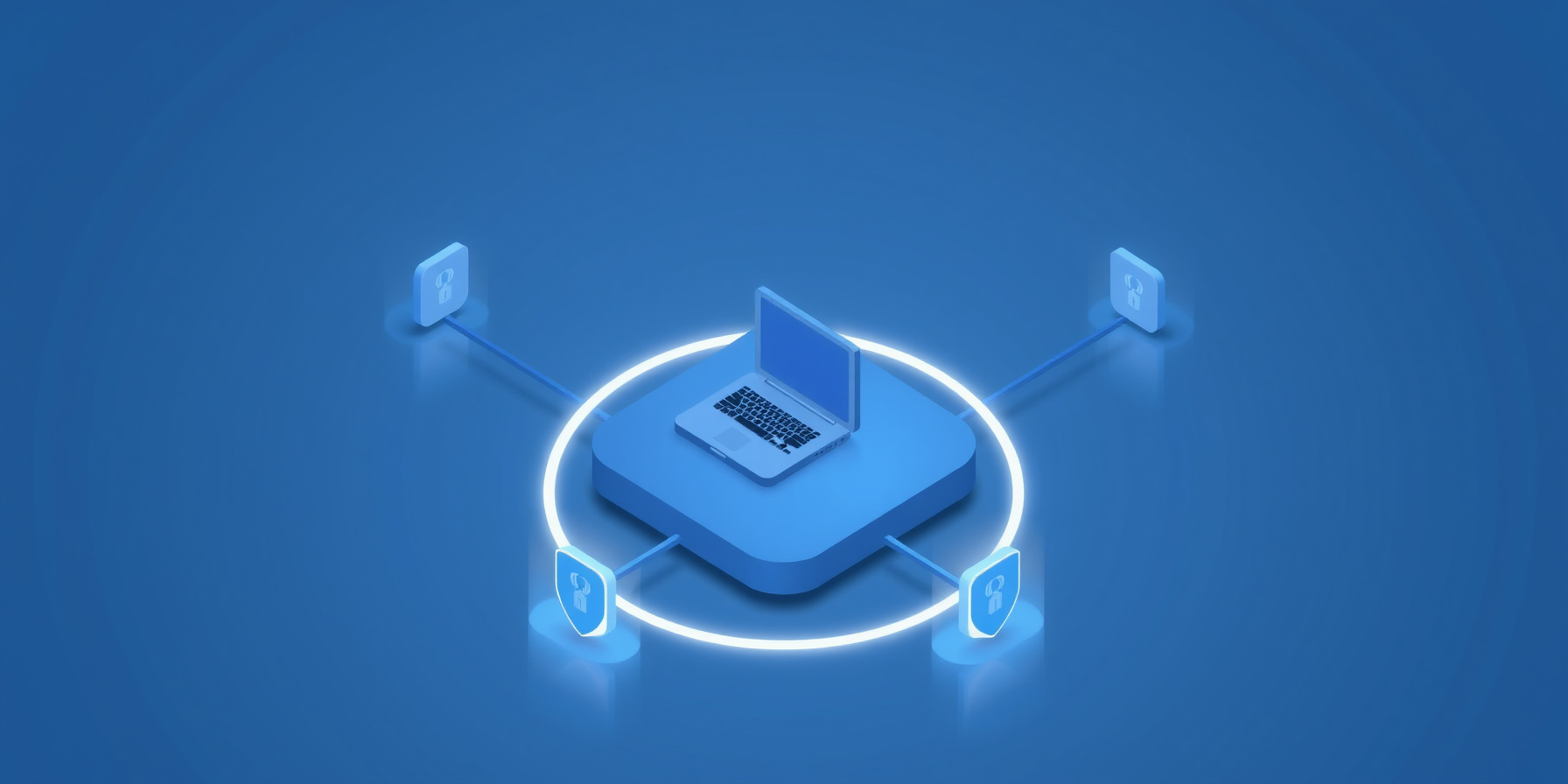
The trust boundary is the host (and, for SSH or remote orca serve setups, each remote host), not Orca’s worktree abstraction: multiple vendor agents can run concurrently, each potentially using its own credentials and network behavior, against the same repositories and user session. Orca documents content-free telemetry and separate per-agent checkouts, but neither is an OS sandbox; no in-app sandbox model is documented. (README telemetry policy)
View the runtime as four intersecting authority planes:
- Repository: worktrees separate checkout and branch state.
- Host: OS identity, environment variables, credential helpers, processes, caches, and configuration remain shared unless isolated externally.
- Vendor: each CLI agent brings its own executable, model relationship, credential path, and network behavior.
- Desktop: Computer Use extends authority beyond the repository into the operating system’s UI.
The README includes an account switcher and usage tracking, but the reviewed materials do not document simultaneous per-agent credential scoping; that capability was not verified in this review. (README)
The resulting failure modes are cross-plane: an agent may read host-visible secrets, alter shared configuration, make unrestricted network requests, or interfere with another agent through the GUI. These are architectural risk scenarios, not observed Orca defects. Compare-and-merge protects the code-review plane only after execution; it does not undo runtime side effects. Appropriate controls therefore belong outside the app: narrow credentials, separate OS identities or disposable environments, egress policy, and withholding Computer Use permissions.
What does telemetry actually collect — and can you verify it?
The telemetry policy states that Orca uses an anonymous random local ID and excludes account, email, IP, file contents, prompts, agent output, terminal output, repository or branch names, URLs, paths, and commit messages. It uses PostHog Cloud in the United States and offers a Settings privacy toggle, DO_NOT_TRACK=1, or ORCA_TELEMETRY_DISABLED=1. (telemetry documentation)
These exclusions are stated by the vendor, not traffic-verified. No live capture or binary analysis was performed, so the review can confirm only what the policy says—not what a deployed event stream contains. The same policy says raw error messages remain in a local diagnostic trace file unless the user shares a diagnostic bundle. (telemetry documentation)
The three opt-out mechanisms give administrators enforceable choices, including the environment-variable path. However, this policy governs Orca telemetry; it does not govern telemetry independently performed by Claude Code, Codex, or another supported agent. Orca’s privacy switch is useful, but it is not a substitute for evaluating each agent vendor’s own data path.
Computer Use: is the permission grant the real sandbox?
orca computer is not an in-app browser sandbox: it can list applications, read accessibility trees, click, set values, type, scroll, and capture screenshots. On macOS, Accessibility and Screen Recording permissions must be granted to “Orca Computer Use,” making that OS permission grant—not an Orca policy engine—the operative trust boundary. (Computer Use documentation)
The element-index detail is a serious harness-engineering constraint. Indexes are scoped to the latest get-app-state and may be sparse, so automation that retains an index across UI changes risks targeting the wrong element. The reviewed documentation does not describe a per-app allowlist or an in-app mediation layer. (Computer Use documentation)
Computer Use expands the blast radius from “files in this repository” to “whatever the granted OS session can observe and control.” Reviewer inference, not a documented Orca behavior: concurrent GUI agents could contend for focus, typing, scrolling, or the pointer. The CLI can also accept secrets through standard input, but delivering a secret to an automation process still makes that secret part of the agent’s authority.
For security-sensitive hosts, the defensible default is to withhold the Accessibility and Screen Recording grants. If GUI operation is indispensable, place it in a disposable environment with no valuable credentials or unrelated applications. A worktree cannot constrain an accessibility permission.
How mature is the release signal — 102k stars vs 8,657 open issues?
Orca was created on March 17, 2026; by October 22 it had 102,163 stars, 6,451 forks, and 8,657 open issues. The current release as of this review is v1.4.237, published October 21 with macOS, Windows, and Linux assets plus auto-update manifests. That is genuine release velocity, not proof of stability. (GitHub API latest release)
The issue backlog is a raw counterweight, not a maturity metric. Open-issue clustering was not verified in this review, so no characterization of the 8,657 issues is made here. The release notes still label native chat “experimental” and place a “Layout groundwork” section behind disabled build switches—two explicit maturity qualifiers. (latest release)
The practical lesson is to treat adoption as release engineering rather than an all-in migration: pin a known release, validate worktree and submodule behavior, and require regression checks around the surfaces you automate. Stars and forks measure attention; they do not establish interface stability, containment, or enterprise support.
Orca vs the alternatives — where does it actually sit?
Against Conductor’s vendor-described cloud agent teams and raw git worktrees with tmux, Orca’s differentiator is a local-first orchestration UX around parallel agents. Conductor offers macOS/iOS clients and a public API, while its pricing was not fetched. The practical choice is control versus managed infrastructure, not simply “IDE versus wrapper.” (Conductor Conductor API README)
Orca vs Conductor vs DIY git worktrees + tmux
| Row | Orca | Conductor | DIY (git worktrees + tmux) |
|---|---|---|---|
| Execution model | Local-first, one worktree per agent (README) | Vendor-described cloud-first agent teams (Conductor) | Local and manual; Git controls checkouts (Git docs) |
| Parallel agents | Native fan-one-prompt workflow (README) | Vendor-described native cloud teams (Conductor) | Manual tmux panes |
| Agent support | Named set plus “any CLI agent” (orca.dev claims 27); first-class status unverified (README) | First-party Claude Code, Codex, Cursor and OpenCode agents (Conductor) | Any CLI wired manually |
| Platforms | macOS arm64/x64, Windows, Linux .deb/.rpm (release) | macOS and iOS apps (Conductor) | Any OS with Git (Git docs) |
| Telemetry | Content-free by stated design, not traffic-verified; opt-out flags (telemetry) | Not documented in reviewed sources — not verified in this review | None |
| OS-level control | Computer Use via accessibility permissions (Computer Use) | Not documented in reviewed sources — not verified in this review | None built in |
| Mobile companion | iOS/Android (README) | iOS app (Conductor) | None |
| API | Orca CLI: worktree create, snapshot, click, fill (README) | Public API (Conductor API) | Git CLI (Git docs) |
| Pricing / license | MIT (GitHub API) | Pricing/license not fetched — not verified in this review | Free |
| Multi-checkout caveat | Inherits Git’s experimental warning (Git docs) | Unknown — not verified in this review | Same Git caveat applies (Git docs) |
The useful axis is where authority lives. Orca keeps repository execution local but still places vendor agents and their credentials on the host. Conductor moves teams into a managed cloud environment of isolated microVMs; DIY minimizes orchestration software but also minimizes orchestration UX. Comparisons with Cursor agent mode and Superset were not verified in this review, so no claims about either are included.
When should you adopt it — and when should you wait?
Adopt now if you are a solo builder or small team running multiple CLI agents against one repository and want compare-and-merge as the review loop; adopt selectively with Computer Use permissions withheld and telemetry off in sensitive environments; wait if documented sandboxing, a verified relay protocol, or cloud-parallel execution is mandatory. (Computer Use docs telemetry docs Conductor)
Do not adopt Orca now as the primary multi-agent harness if any of these are requirements:
- Per-agent OS sandboxing, credential isolation, or audited transport.
- Reliable behavior on submodule-heavy or superproject repositories without scratch validation.
- Stable, non-experimental chat semantics as an automation contract.
- Computer Use on a host whose GUI permissions include sensitive applications.
- A managed cloud sandbox of the kind Conductor describes (isolated microVMs).
A controlled rollout should start with Computer Use permissions withheld, enforce ORCA_TELEMETRY_DISABLED=1, narrow each vendor’s credentials, validate worktrees on representative repositories, pin the release, and keep human diff review mandatory. For a small team, the unresolved question is not whether Orca is pleasant to use; it is whether the organization is prepared to own the host-level controls that Orca deliberately does not contain.
FAQ
Orca’s documentation supports a narrow set of practical answers: it documents per-agent worktrees, OS permission grants, and telemetry controls, but not enterprise-grade containment or a verified relay contract. (Computer Use docs telemetry docs) The questions below distinguish vendor statements from what a security reviewer must still verify independently.
Does Orca sandbox the agents it runs?
No documented sandbox appears in the reviewed materials; Computer Use’s boundary is the OS permission grant itself. Treat per-agent credential scoping as your own responsibility. Git’s worktree documentation still calls multiple checkouts experimental; separate checkouts do not create separate OS identities, credential stores, or network domains, so withhold Computer Use permissions where host UI access is unacceptable. (Git docs Computer Use docs)
Is the parallel-worktree pattern safe on repos with submodules?
Git’s own documentation says multiple checkouts are still experimental, submodule support is incomplete, and it is not recommended to make multiple checkouts of a superproject. Orca inherits that upstream caveat rather than removing it. Validate submodule behavior on a scratch repository before standardizing the pattern; this review did not test it. (git-worktree documentation)
Can I turn telemetry off?
Yes, three ways per the official policy: Settings → Privacy, DO_NOT_TRACK=1, or ORCA_TELEMETRY_DISABLED=1. The vendor states that file contents, prompts, and agent output are never sent. That statement is not traffic-verified here, and disabling Orca telemetry does not disable telemetry performed independently by supported agent vendors. (telemetry documentation)
The Bottom Line
Orca is a strong local-first harness for solo and small-team multi-agent workflows: worktrees and compare-and-merge keep parallelism reviewable and local. (README) Adopt selectively—Computer Use permissions withheld and telemetry off in sensitive environments (Computer Use docs telemetry docs)—but not as an enterprise containment boundary when separate credentials, audited relay behavior, or stable sandboxing are required; wait for those guarantees.
📖 Related Reads
- NiteAgent — AI agent development, frameworks, and production patterns
- Hermes Tutorials — Hermes Agent setup, configuration, and advanced workflows
Cross-links automatically generated from CodeIntel Log.